
Step-by-Step Guide on How to Develop Sage Business Cloud Accounting Integration via API2Cart
In short, Sage Business Cloud Accounting integration through API2Cart takes three steps, from a free trial to working Sage data in your software.
Start a free trial
First, start your free 14-day trial and register your API2Cart account.
Connect your client's Sage business
Then, add the Client ID, Client Secret, and refresh token of your Sage app to API2Cart. After that, API2Cart renews access on its own and keeps the new refresh token Sage issues each time.
Build your Sage integration with API2Cart
Finally, develop an integration between your software and API2Cart's unified Accounting API.
List of methods for Sage Business Cloud Accounting Integration

Account
-
account.list
Use this method to retrieve one or more accounts from a business entity's chart of accounts, as well as the total count of accounts. -
account.add
Use this method to create a new account. -
account.update
Use this method to update an existing account.

Bill
-
bill.list
Use this method to retrieve one or more bills, as well as the total count of bills. -
bill.add
Use this method to create a new bill. -
bill.update
Use this method to update a bill. -
bill.delete
Use this method to delete a bill. -
bill.credit_note.list
Use this method to retrieve one or more credit notes, as well as the total count of credit notes. -
bill.credit_note.add
Use this method to create a new bill credit note. -
bill.credit_note.update
Use this method to update a bill credit note. -
bill.credit_note.delete
Use this method to delete a bill credit note. -
bill.payment.list
Use this method to retrieve bill payments, prepayments, or overpayments. For platforms that support multiple payment types, use thetypeparameter to retrieve payments of a specific type. The response also includes the total count. -
bill.payment.add
Use this method to create a bill payment, prepayment, or overpayment. Use thetypeparameter to define the payment type to create. -
bill.payment.update
Use this method to update a bill payment, prepayment, or overpayment. -
bill.payment.delete
Use this method to delete a bill payment, prepayment, or overpayment.

Connection
-
connection.list
This method allows you to retrieve a list of all external platforms integrated with your account. -
connection.validate
This method clears the integration cache for a specific platform and verifies the current connection status. Use this method if there have been any changes to the external system's settings, such as the installation or removal of new plugins or modules. -
connection.supported_integrations
Use this method to retrieve a list of supported platforms integrations and the sets of parameters required for connecting to each of them. Note: some platforms may have multiple connection methods so that the response will contain multiple sets of parameters. -
connection.add
Use this method to automate the process of integrating external platforms with our API. The list of parameters will vary depending on the platform type. To get a list of parameters specific to a particular integration, you need to execute the connection.supported_integrations method. -
connection.update
Use this method to automate the update of credentials used for platform integrations. The list of supported parameters differs depending on the specific platform. -
connection.delete
Use this method to remove an existing platform integration from your account and stops all data synchronization for this specific connection.

Contact
-
contact.list
Use this method to retrieve one or more contacts, as well as the total count of contacts. -
contact.add
Use this method to create a new contact. -
contact.update
Use this method to update a contact. -
contact.delete
Use this method to delete a contact.

Invoice
-
invoice.list
Use this method to retrieve one or more invoices, as well as the total count of invoices. -
invoice.add
Use this method to create a new invoice. -
invoice.update
Use this method to update an invoice. -
invoice.delete
Use this method to delete an invoice. -
invoice.credit_note.list
Use this method to retrieve one or more invoice credit notes, as well as the total count of invoice credit notes. -
invoice.credit_note.add
Use this method to create a new invoice credit note. -
invoice.credit_note.update
Use this method to update an invoice credit note. -
invoice.credit_note.delete
Use this method to delete an invoice credit note. -
invoice.payment.list
Use this method to retrieve invoice payments, prepayments, or overpayments. For platforms that support multiple payment types, use thetypeparameter to retrieve payments of a specific type. The response also includes the total count. -
invoice.payment.add
Use this method to create an invoice payment, prepayment, or overpayment. Use thetypeparameter to define the payment type to create. -
invoice.payment.update
Use this method to update an invoice payment, prepayment, or overpayment. -
invoice.payment.delete
Use this method to delete an invoice payment, prepayment, or overpayment.

Item
-
item.list
Use this method to retrieve one or multiple items, as well as the total count of items. -
item.add
Use this method to create a new item. -
item.update
Use this method to update an existing item. -
item.delete
Use this method to delete an item.

Organization
-
organization.list
This method allows you to retrieve a list of all organizations connected to the account in the corresponding accounting platform.

Tax
-
tax.rate.list
Use this method to retrieve one or more tax rates, as well as the total count of tax rates.
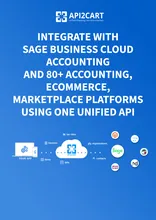
Download Your Sage Business Cloud Accounting Integration Guide
Learn how to integrate with accounting platforms in an easy and unified way.
Inside you’ll discover:
- Integration Challenges: What SaaS providers usually face when connecting with accounting platforms.
- Unified API Solution: How one unified accounting API makes it easy to integrate with other accounting platforms.
- Use Cases: Industries that rely on successful integration development.
- Success Stories: How SaaS vendors simplified accounting integration development.
How API2Cart's Accounting API Works with Sage Business Cloud Accounting
The facts below are based on Sage's API documentation and the API2Cart connection guide.
Businesses and Subscription Plans
One Sage user can work with several businesses, and one API2Cart connection reaches all of them: API2Cart lists them and works with the one each request names. The methods available to a business depend on its Sage Accounting subscription plan.
What Sage Business Cloud Accounting Integration Covers
Through API2Cart, you can work with accounts, items, tax rates, contacts (customers and suppliers), invoices, bills, and their credit notes and payments. Therefore, a Sage accounting integration can cover the full path from an online order to a paid invoice.
How the Sage Integration Connects
Sage Accounting uses OAuth 2.0 and issues a new refresh token every time access is renewed. API2Cart stores each new token itself, so your Sage API integration keeps working through one unified Accounting API while the connection is in use.
Develop Integrations Faster with One Unified API


Trusted by









Ready to simplify Sage Business Cloud Accounting integration development?
Connect your SaaS to Sage Business Cloud Accounting and, at the same time, to other accounting platforms.
Sage Business Cloud Accounting Integration FAQ
What is Sage Business Cloud Accounting integration?
In other words, Sage Business Cloud Accounting integration connects your SaaS with your clients' Sage businesses. As a result, your software can retrieve, add, and update contacts, items, invoices, bills, payments, and credit notes. For example, a Sage ecommerce integration can turn online store orders into Sage invoices. With API2Cart, you get a ready-made Sage connector that is part of a unified Accounting API, so the same integration also covers other accounting platforms.
Does Sage Business Cloud Accounting have an API?
Yes. Sage provides the Sage Accounting API, also known by its older name, the Sage Business Cloud Accounting API. It is a REST API secured with OAuth 2.0, and Sage documents it on its developer portal. In fact, with API2Cart your Sage API integration works without building that authorization flow yourself.
How do I connect Sage Business Cloud Accounting to API2Cart?
First, create an app in Sage Developer Self Service and authorize it once against your Sage business to get a refresh token. Then, add the Client ID, Client Secret, and refresh token to API2Cart. After that, your Sage API integration is ready for its first requests. The full walkthrough is in our Sage Business Cloud Accounting connection guide.
Does this page cover Sage 50, Sage 200, Sage Intacct, or Sage X3?
No. This page is about Sage Business Cloud Accounting integration, a product Sage now calls Sage Accounting. Sage Intacct, Sage X3, and Sage CRM have separate pages.
Download Free Integration Guide
Special Accounting API Integration via API2Cart
Fill in your details to get instant access to the Accounting Integration Guide. Everything you need to know — in one document.